


Install People Hub on your phone
No App Store or Play Store needed — 1 minute, free.
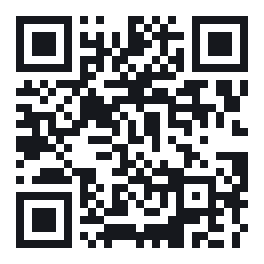
Scan with your camera
hr.bayanairag.mn/install
Or type the address above in your phone's browser.
iPhone (Safari)
- 1Open hr.bayanairag.mn in Safari (not inside Gmail or Messenger).
- 2Tap the Share button at the bottom (square with an up arrow).
- 3Scroll down and choose “Add to Home Screen”.
- 4Tap “Add” at the top right. The Bayan Airag icon appears on your home screen.
Notifications need iOS 16.4 or later and the app opened from the home screen.
Android (Chrome)
- 1Open hr.bayanairag.mn in Chrome.
- 2Tap the ⋮ menu at the top right.
- 3Choose “Install app” or “Add to Home screen”.
- 4Tap “Install”. The app appears with your other apps.
Signing in
- 1Open the app and enter your email under “Email me a code”. No work email? Use the personal email HR has on file.
- 2Type the 6-digit code from the email into the app and tap “Sign in”. No email? Check your spam folder.
Office Wi-Fi blocks this address for now. Please use mobile data.
Salary never shows on phones. If you lose your phone, tell HR right away.